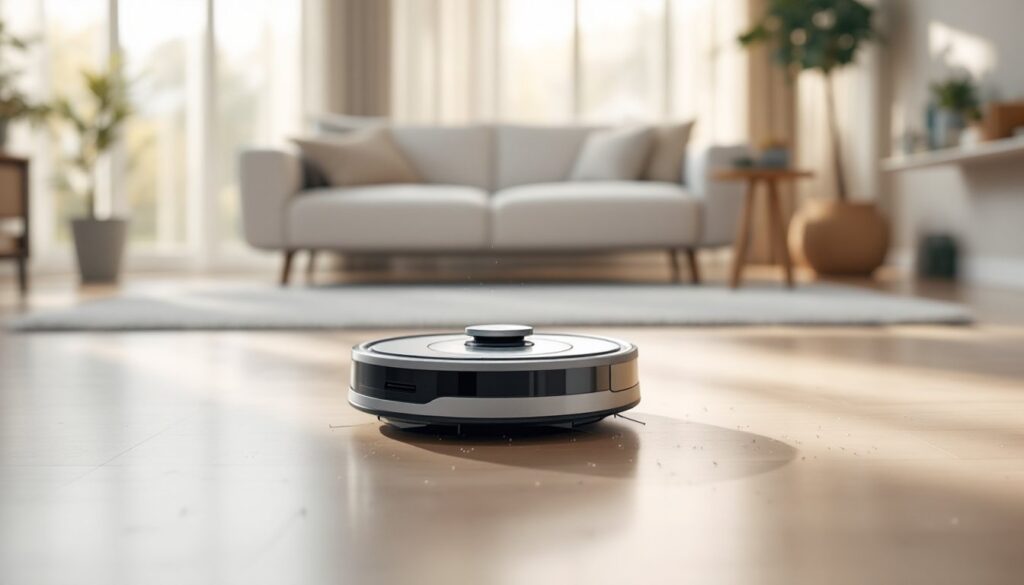
If you’re tired of pushing a vacuum around the house or watching dust accumulate in hard-to-reach corners, a robot vacuum might be exactly what you need. The iRobot Roomba i7 has emerged as one of the most capable autonomous cleaners on the market, blending smart navigation, app-based control, and consistent cleaning performance into a single device. This guide walks you through what the Roomba i7 can actually do, how it integrates into your daily routine, and whether it’s the right fit for your home’s layout and lifestyle.
Table of Contents
ToggleKey Takeaways
- The iRobot Roomba i7 uses vSLAM smart mapping technology to create accurate floor plans and intelligently navigate your home without random bumping patterns.
- The Roomba i7 delivers consistent cleaning performance through its 1,000 Pa suction rating and dual-brush system, making it ideal for daily maintenance on carpets and hard floors in homes without excessive clutter.
- Room-specific scheduling and no-go zones let you control exactly which areas get cleaned from the app, a major advantage over budget robot vacuums that lack this customization.
- Setup takes about 15 minutes, and the Roomba i7 integrates seamlessly with Alexa and Google Home for voice control and remote monitoring on your smartphone.
- The Roomba i7 works best in single-level, open-floor homes with minimal clutter and mixed flooring—it’s a supplement to your cleaning routine, not a replacement for traditional vacuuming.
- Annual maintenance costs are minimal (filters and brushes), though the initial investment of $300–$600 and inability to navigate stairs make it important to assess your home’s layout first.
What Makes The Roomba i7 Stand Out
The Roomba i7 isn’t just another round disc bumping around your floors. It combines Imprint Smart Mapping, app controls, and scheduling features that give it a genuine edge over budget robot vacuums. The key difference is that the i7 remembers your home’s layout, learns room names, and lets you control exactly which rooms get cleaned on any given day, a game-changer if you’ve got a messy kitchen you want cleaned before guests arrive but don’t need the bedrooms touched.
What sets it apart in the crowded robot vacuum space is the ability to restrict cleaning to specific zones or skip entire rooms without physical barriers. You can tell it to avoid the living room while it tackles the kitchen, all from your phone. The self-emptying dock (on the i7+, the fuller version) is a genuine convenience feature, especially if you have pets or a larger home: it stores about 30 days’ worth of dust so you’re not emptying a tiny dustbin constantly.
Unlike cheap robotic vacuums that run random patterns, the i7 methodically maps your home and creates an organized cleaning path. It takes a few runs to build that map, but once it does, cleaning becomes predictable and efficient. The motor is also more powerful than entry-level models, delivering better suction on both carpet and hard floors. For homeowners with mixed flooring or multi-room layouts, this consistency matters.
Smart Mapping And Navigation Technology
Smart mapping is where modern robot vacuums have leapfrogged older models. The Roomba i7 uses vSLAM technology (visual simultaneous localization and mapping), which combines a camera and sensors to build a real-time understanding of your home. Think of it like the robot is drawing a map as it moves, constantly updating its position and surroundings.
Once the Roomba i7 completes its initial mapping runs, you get a floorplan inside the app. You can name rooms, set cleaning schedules for specific areas, and even create no-go zones, perfect for keeping it away from the dog’s bed or that pile of blankets you left on the floor. The robot remembers walls, doorways, and obstacles, so it doesn’t waste time re-exploring areas it’s already catalogued.
Navigation around obstacles is noticeably better than older models. The i7 avoids cords, pet bowls, and small toys more reliably, though like all robot vacuums, it occasionally gets stuck on thick rugs or tangled in a charging cable. Independence aside, the navigation system does the job well enough that you can trust it to run while you’re out of the house, something many homeowners hesitate to do with cheaper models. Independent testing shows the Roomba i7+ benefits from advanced navigation capabilities that outpace many competitors in the same price range.
Cleaning Performance And Coverage
Performance matters more than fancy features if the robot doesn’t actually clean. The Roomba i7 delivers solid results across carpet and hard floors, with a 1,000 Pa suction rating, a middle ground that’s strong enough for daily maintenance on most household dirt and pet hair, though not industrial-strength.
On low-pile carpet and hardwood, the i7 picks up visible debris consistently. Heavier pet hair or fine dust in corner crevices may require occasional touch-ups, especially in homes with multiple shedding pets. The dual-brush system (a spinning side brush and a dual roller underneath) agitates carpet fibers and sweeps debris toward the suction path, which is effective for routine cleaning.
Where the i7 shines is in predictable, repetitive cleaning. Running it every day or every other day keeps floors consistently clean without major buildup that would demand stronger suction. If you skip weeks between cleanings or live with a dog that sheds year-round, you might hit its performance limits.
Battery life sits around 60 to 120 minutes depending on carpet type and suction setting. For most average homes (under 3,000 square feet), a single charge covers the floor. Larger homes may need the robot to return to its dock mid-cycle and resume where it left off. Lab testing by cleaning experts confirms the Roomba i7+ holds its own among premium models, though it’s not a one-size-fits-all solution for every household’s dirt load.
Setup, Integration, And Daily Use
Getting the Roomba i7 running takes about 15 minutes. Unbox it, place the dock on a hard, level floor with at least 1.5 feet of clearance on each side (the robot needs room to exit and return), charge the battery fully, and download the iRobot app. The app walks you through initial setup, connecting to your Wi-Fi and naming rooms in your home’s map.
Integration with smart home systems is available if you use Alexa or Google Home. You can schedule cleaning sessions, check on the robot remotely, and even start a clean with voice commands. The app itself is intuitive, no hidden menus or confusing settings. Scheduling is straightforward: pick days, times, and which rooms get priority.
Daily use is genuinely passive once you’ve set it up. The robot runs on your schedule, maps your space more precisely over time, and returns to its dock when the battery dips. You’ll pull it out of corners occasionally and empty the dustbin (or less often if you have the i7+), but it requires far less hands-on attention than traditional vacuuming.
One practical note: the robot works best on homes without too many thick rugs, excessive clutter, or complex multi-level layouts. If your floors are cluttered with toys, cords, or furniture legs, it’ll get stuck more often and frustrate you. A tidy floor plan is the best accessory for any robot vacuum.
Maintenance And Cost Considerations
Maintenance is minimal but essential. Every 1 to 2 weeks, empty the dustbin, wipe the sensors with a dry cloth, and check the wheels for tangled hair or debris. The filters need replacement every 2 to 3 months (roughly $25 to $40 for a replacement pack). The brushes, both the side spinner and the dual roller, last 6 to 12 months depending on usage and pet hair volume.
The initial cost is significant. The Roomba i7 typically runs $300 to $400, while the i7+ (with self-emptying dock) costs $500 to $600. Replacement parts and filters add another $100 to $150 annually for regular users. Over a five-year lifespan, that’s a real investment, though still cheaper than hiring a cleaning service weekly.
Where cost starts to matter is if you have stairs. The robot can’t navigate between levels, so a two-story home means you’ll need a second unit or manual vacuuming on upper floors. Some homeowners find that limitation a deal-breaker: others accept it as the trade-off for daily floor maintenance on the main level.
Direct comparison shows detailed testing and performance metrics across price points help clarify whether the i7 justifies its cost versus cheaper competitors. Honestly assess your home’s layout, floor type, and dirt load before committing.
Is The Roomba i7 Right For Your Home
The Roomba i7 works best in homes with a few specific characteristics. You need mostly open floor plans with minimal clutter, mixed flooring that isn’t heavily carpeted, and a single main level (or acceptance that you’ll vacuum stairs yourself). Homes with pets benefit greatly from the consistent daily cleaning cycle, which beats a once-a-week deep vacuum for managing hair accumulation.
Skip the Roomba i7 if you live in a cramped space packed with furniture, have industrial-strength carpet that demands high suction power, or expect the robot to replace all vacuuming. It’s a supplement to your cleaning routine, not a replacement. Similarly, if you rent and can’t drill dock placement into walls, the setup becomes messier.
For anyone in a typical suburban home with hardwood or low-pile carpet, pets or kids tracking dirt, and a preference for convenience over effort, the Roomba i7 delivers real value. It’s not magic, it won’t clean under sofas or navigate tight spaces, but it keeps floors consistently clean with minimal weekly effort. That’s genuinely useful for busy homeowners.
Conclusion
The iRobot Roomba i7 represents a practical, middle-ground smart vacuum that handles daily cleaning without very costly or demanding constant intervention. It maps your home intelligently, cleans consistently, and integrates neatly into a modern smart home setup. It’s not a perfect tool, stairs remain a limitation, suction isn’t industrial-grade, and clutter still gets in its way, but for the right household, it’s a genuine time-saver and a solid investment in convenience.