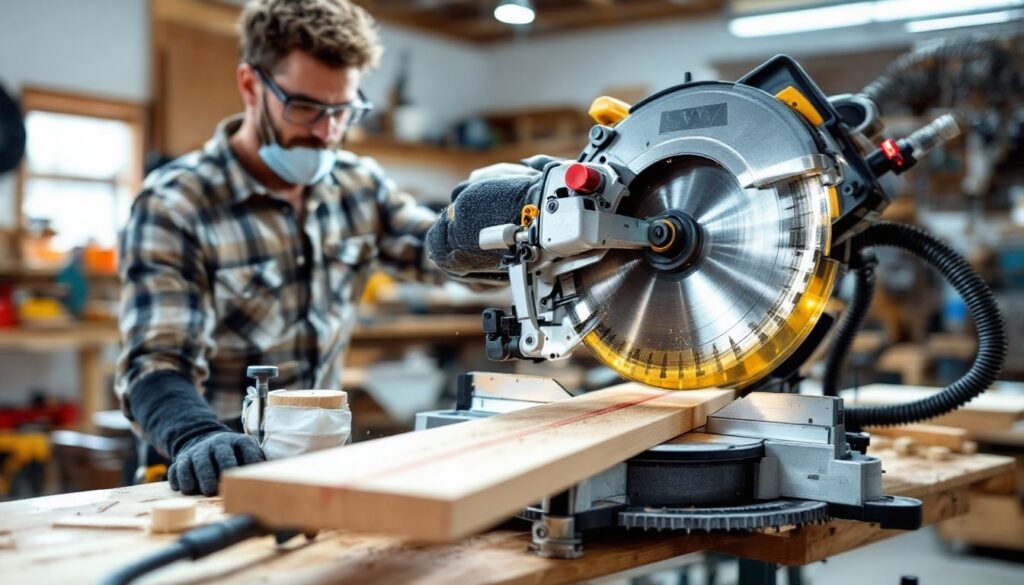
A miter saw is one of the most useful tools a DIYer can own. Whether you’re framing a wall, building shelving, or cutting trim for a room refresh, this saw handles crosscuts and angle cuts with precision that’s hard to match with a circular saw alone. If you’re standing in front of a miter saw for the first time, or even the tenth, understanding its mechanics and respecting its power will make the difference between smooth, safe work and frustration (or worse). This guide walks you through setup, operation, and troubleshooting so you can tackle projects with confidence.
Table of Contents
ToggleKey Takeaways
- Understanding how to use a miter saw safely and correctly requires mastering its key components—the blade, fence, and miter adjustment—along with respecting the tool’s power through proper setup and alignment.
- Always wear safety glasses and ear protection, secure material with clamps or stop blocks instead of your hands, and never reach under the blade or force the cut—these precautions prevent serious injury and ensure consistent results.
- Proper miter saw setup takes five minutes but prevents hours of wasted cuts: align the blade perpendicular to the fence, check the miter angle indexing, and use a combination square to verify accuracy before cutting.
- For repetitive cuts, clamp a stop block to the fence on the offcut side to eliminate guesswork, increase speed, and maintain consistency across multiple pieces.
- When your miter saw binds, cuts rough, or produces dust clouds, troubleshoot by checking blade sharpness, cleaning dust buildup from the base pivot, connecting a shop vac, and ensuring material is fully supported—most problems stem from dull blades or forcing the cut.
- Compound cuts and angle work demand precision: set the miter angle first, then the bevel angle, dry-fit on scrap material, and always wait for the blade to reach full speed before beginning the cut.
Understanding Your Miter Saw and Safety Essentials
Key Components and How They Work
A miter saw is built around a circular blade mounted on a pivoting arm that slides down a base or fence. The blade pulls down vertically (or is pushed/pulled depending on the model) to cut through material held against the fence. The table angles side-to-side for miter cuts, and many models also tilt the blade for bevel cuts, or both for compound angles.
The fence is your guide: it keeps material square to the blade and must be straight and properly aligned. Check it with a combination square before your first cut. The blade itself rotates fast (typically 3,600 to 5,000 rpm), so even a small mistake in hand placement or material grip can result in injury. The trigger is simple, squeeze it to spin the blade up, but the motion is violent enough to demand respect.
Most modern miter saws have a laser guide (a thin red line showing the cut path) and a dust bag or shop vac port. Don’t ignore the laser alignment: it saves hours of wasted cuts. The stop blocks (metal pieces clamped to the fence) are lifesavers when making repetitive cuts to the same length.
Safety Gear and Precautions You Must Follow
Wear safety glasses every time, no exceptions. Sawdust and splinters fly. Add ear protection (saws are loud and sustained noise damages hearing). Work gloves are optional for most cuts, but avoid loose sleeves or jewelry that could snag. For fine dust, wear a dust mask or connect your shop vac: miter saws generate clouds of fine particles that accumulate in your lungs over time.
Never reach under or behind the blade while it’s running or spinning down. Never hold material with your hand anywhere near the cut line. Keep both hands on the material or on the saw’s handles, one hand stabilizes the workpiece against the fence, the other operates the trigger. Wait for the blade to stop completely before removing cut pieces or repositioning material.
Use material clamps (a hold-down or vise) for short, narrow pieces instead of your hands. If a piece is too small to hold safely, don’t cut it, build a jig or use scrap as a backer. Ensure your work area is clear of tripping hazards, and never operate the saw alone if you’re working with long pieces that might require a helper to steady the outfeed (the area where cut material exits).
Setting Up Your Miter Saw for Success
Setup determines the quality of your cuts and your safety. Start by placing the saw on a solid, level workbench or stand, no wobbling. If the base rocks, shim it with shims or weight the base with sandbags. Plug it into a grounded outlet with a power strip rated for the tool’s amperage (check the nameplate: most miter saws draw 10–15 amps).
Unplug the saw before making any adjustments. Align the blade perpendicular to the fence using a combination square or speed square. Place the square against the blade and fence: if there’s a gap, loosen the bolts (usually underneath the table) and rotate the blade mount until it’s flush. This takes five minutes and prevents every subsequent cut from being out of square.
Check the miter angle adjustment. At zero degrees, the blade should cut straight across. Rotate the base left and right, then return it to zero, it should feel positive and indexed, not sloppy. Tighten any loose knobs or levers. Examine the fence for warping or damage: a bent fence guarantees bad cuts.
Measure and mark your workpiece clearly. Use a pencil, not a marker: pencil lines are thinner and more accurate. When laying out multiple identical pieces, stack them together and cut through the stack if the saw’s depth allows, it’s faster and more consistent. For repetitive lengths, clamp a stop block to the fence at the correct distance from the blade. Butt each piece against the stop and cut: this takes guesswork out of length and saves enormous time on jobs like trim or shelving. Position the stop block on the offcut side (the waste piece), never between the blade and the fence, a pinched piece can bind and kick back.
Making Straight and Angle Cuts Like a Pro
Executing Crosscuts and Rip Cuts
A crosscut (cutting perpendicular to the grain) is the miter saw’s bread and butter. Place your material flat on the table, hold it firmly against the fence with one hand near (but not at) the cut line, and pull the trigger with the other. Wait for the blade to spin up to full speed, you’ll hear the pitch rise, then slowly draw the blade down. Don’t force it: let the blade do the work. Forcing leads to burns, chattering, and dull cuts. Once the blade reaches the bottom of its stroke, hold it there for a half-second, then release the trigger and slowly raise the blade. Remove the cut piece only after the blade has stopped.
For long pieces, have a helper steady the outfeed, or extend the saw’s table with a shop-made outfeed table (a simple plywood extension with leveling shims). Material hanging over the edge causes binding and inconsistent cuts.
A 45-degree miter (angled cut) is common for picture frames, crown molding, and baseboard corners. Rotate the base to 45 degrees left or right, you’ll feel a detent or notch. Set your stop block for the correct length from the inside point of the miter, not the outside. Miter saws measure from the blade to the fence, so if you’re making a 10-inch piece, the distance from fence to blade is 10 inches at the shortest edge. Cut slowly: angled cuts grab harder than crosscuts.
For compound cuts (miter and bevel simultaneously), both the base and the blade angle. These are common in crown molding. Set the miter angle first, then the bevel angle (tilt), then recheck your dimensions. Dry-fit (cut a scrap to check) before committing to expensive material.
A true rip cut (parallel to grain) isn’t what miter saws excel at: a table saw or circular saw is better. But, if you must rip with a miter saw, flip the base 90 degrees and cut with the blade parallel to the fence. This is awkward and slow, so avoid it if possible. Resources like Popular Mechanics often review the right tool for each cut type, which saves time and frustration. Mark your measurement clearly, support the material fully, and go slowly.
Troubleshooting Common Miter Saw Problems
Blade binds or cuts are rough. The blade is dull or the material is being forced. First, listen: a dull blade makes a different pitch than a sharp one, and rough cuts are the first sign. Buy a new carbide-tipped blade (20–40 teeth for general work: 80+ for finish cuts). Don’t scrimp, a $25 blade lasts far longer than a $10 one. If the blade is new and cuts still bind, you’re applying too much downward pressure. Let the blade pull itself through. For hardwoods and dense materials, slow down your feed rate even more.
Miter angles are off. The base isn’t returning to zero cleanly, or you’ve bumped it. Use a combination square to confirm zero-degree alignment. If it drifts, loosen the mounting bolts, realign, and tighten. Clean dust and sawdust from the base pivot, a buildup prevents positive seating. On Fix This Build That, many woodworkers stress the importance of keeping the base clean for accurate angle work, which is sound advice.
Dust clouds overwhelm the workspace. Connect your shop vac to the dust port with a flexible hose. If the saw has a dust bag only, emptying it frequently helps, a full bag restricts airflow. Better yet, a wet/dry vac attachment reduces dust by 80% compared to a bag alone. Wet sawdust also prevents fine particles from becoming airborne.
Laser guide doesn’t align with the cut. The laser shifts when the blade is new or after an impact. Most miter saws have adjustment screws (usually marked with + and − symbols) on the laser module. Start the blade, let it reach full speed, and adjust the laser left and right until it tracks the center of the kerf (the groove the blade creates). This is easier with a test cut on scrap.
Blade bounces or chatters. The material isn’t held down, the blade isn’t fully spun up before cutting, or the blade is warped. Clamp or hold the material firmly. Always wait a full second after pressing the trigger before starting the cut. If chatter persists, stop and inspect the blade for bent or chipped teeth. A damaged blade is unsafe and must be replaced. Communities like Instructables host thousands of miter saw setups and tips from experienced makers: browsing discussions can reveal solutions to uncommon problems.
Kickback or material ejection. This is dangerous and usually means the blade is binding. Never position yourself in line with the blade on the outfeed side. If something kicks, release the trigger immediately and step back. Prevent kickback by supporting material correctly, using a sharp blade, and never forcing the cut. If you’re nervous about a cut, make it on scrap first or ask someone experienced to watch.