A KitchenAid dishwasher is built to last, but like any appliance, it sometimes needs a reset to clear error codes, fix communication glitches, or restore normal operation. Whether your display is frozen, a cycle won’t start, or you’re seeing a mysterious fault code, resetting your KitchenAid dishwasher is often the simplest first troubleshooting step before calling a service technician. The good news: most resets take just a few minutes and require no tools or technical expertise. This guide walks you through the most reliable methods to reset your KitchenAid dishwasher and explains when it’s time to call a pro.
Table of Contents
ToggleKey Takeaways
- A KitchenAid dishwasher reset clears the control board’s internal memory and resolves common issues like frozen displays, error codes, and communication glitches without requiring professional service.
- The control panel reset method is the fastest approach, requiring you to hold the Select or Reset button for 3–5 seconds until the display flashes and returns to the home screen.
- If the control panel reset doesn’t work, a power cycle reset—turning off the circuit breaker or unplugging the unit for 5 minutes—fully discharges the control board’s memory capacitors.
- Stop troubleshooting and call a certified technician after two unsuccessful resets, or if the dishwasher shows persistent error codes, water leaks, drainage problems, or mechanical issues like a stuck door latch.
- A KitchenAid dishwasher reset takes just minutes and requires no tools or expertise, making it the simplest first troubleshooting step before investing in costly repairs or replacement parts.
- Smart KitchenAid models can send error codes directly to your phone via their app, potentially eliminating the need for in-home service and saving diagnostic visit costs.
Why Your KitchenAid Dishwasher Might Need a Reset
A reset clears the dishwasher’s internal memory and returns it to factory settings, which solves many common issues without replacing parts or calling a technician.
The most frequent culprits are power interruptions (a tripped circuit breaker or momentary outage) that leave the control board stuck in a confused state. Error codes like E1, E2, or F0 often signal sensor glitches or drainage problems that a reset can clear. Sometimes the dishwasher simply locks mid-cycle or the display freezes, a reset restores normal function. Water inlet valve malfunctions, fill level sensor errors, or faulty door latch signals sometimes trigger displays that remain stuck until you restart the control system.
You might also need to reset after a power surge, if you’ve been troubleshooting with the door open, or if the control panel has been accidentally bumped during a cycle. Reset is never a cure-all, but it’s the quickest and least invasive first step.
Before You Begin: Safety and Preparation Tips
Before attempting any reset, take a moment to prepare and protect yourself.
Safety first: Confirm the dishwasher is empty and not running a cycle. If a cycle is in progress, most resets will cancel it, potentially leaving soap residue or water inside. Open the door and let any standing water drain. Avoid reaching into the tub if the spray arms or heating element are hot, wait a few minutes after a cycle completes. Wear dry gloves if your hands are wet, especially when dealing with the control panel or power cord.
Locate the breaker or outlet: Know whether your dishwasher is hardwired to a dedicated circuit breaker or plugged into an outlet. Most built-in KitchenAid models are hardwired: portable or compact models may plug in. If you’re unsure, check the cabinet beneath the sink or consult your manual.
Keep your manual nearby: Model numbers and control panel layouts vary across KitchenAid’s product line. Your manual (or the digital PDF from the KitchenAid website) will show you the exact button sequence and clarify any model-specific differences. Take a photo of your model number before starting, it’s usually on a sticker inside the door frame.
Step-By-Step Reset Instructions for KitchenAid Dishwashers
Two proven reset methods work for nearly all KitchenAid models. Start with the control panel method: if that doesn’t work, move to the power cycle reset.
Control Panel Reset Method
This is the fastest approach and works when the dishwasher is responsive to button presses.
-
Open the door and inspect the control panel. Most models have a digital display and labeled buttons (Select, Start, Options, or similar labels depending on the model).
-
Press the Select button (or the button marked as “Reset” or “Cancel/Drain” on your specific model) and hold it for 3–5 seconds until you see the display flash or hear a beep. This triggers the control board to restart without cutting power.
-
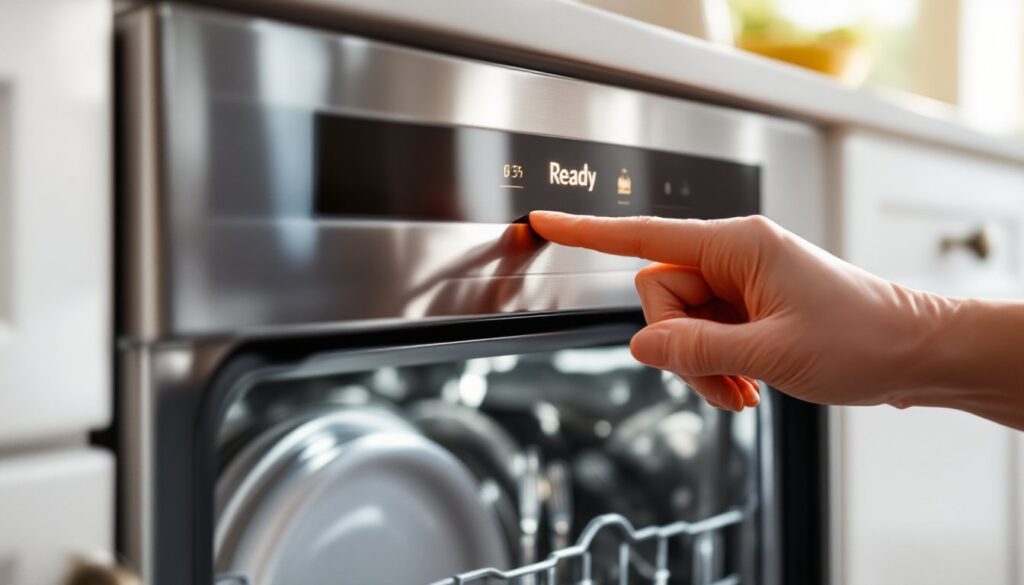
Release the button and wait 10 seconds. The display should flash, go dark briefly, and then return to the home screen showing the default time or “Ready” status.
-
Close the door gently and listen for a brief humming sound as the control board reinitializes. The reset is complete when the display settles.
Some KitchenAid models require you to press two buttons simultaneously, often Start and Cancel together, for 3 seconds. Check your manual for your model’s exact sequence.
Power Cycle Reset Method
Use this method if the control panel reset doesn’t work or the display won’t respond.
-
Open the dishwasher door fully to access the control panel or locate the power source. If the appliance is hardwired, you’ll reset via the circuit breaker.
-
For a hardwired unit: Locate the dishwasher’s circuit breaker (usually labeled “DW” or “Dishwasher”) in your home’s electrical panel. Turn it to the OFF position firmly. Wait exactly 5 minutes, this gives the control board time to fully discharge its memory capacitors.
-
For a plug-in model: Unplug the dishwasher from the outlet. Wait 5 minutes, then plug it back in firmly.
-
Turn the breaker back ON (or plug in the unit) and listen for a brief startup sequence, fans running, relays clicking, or the display lighting up. The reset is complete once the display stabilizes at the home screen.
-
Run a short test cycle (like a quick rinse or self-test mode, if available) to confirm normal operation. Check your manual for any self-diagnostic cycles your model offers, these help confirm the reset worked.
Troubleshooting Common Reset Issues
Sometimes a reset doesn’t work on the first try, or issues persist after a successful reset. Here’s what to check.
The display stays blank or won’t light up: A blank screen after a reset usually means the control board isn’t receiving power. Confirm the breaker is fully ON (switch it off and on again), or if it’s a plug-in model, test the outlet with another appliance (a lamp or phone charger). If the outlet works but the dishwasher doesn’t, the power cord or internal fuse may be faulty, this requires professional service.
Error codes return immediately after reset: If you reset successfully but the same error code reappears within minutes, the underlying problem (a stuck sensor, clogged drain, or failed water inlet valve) wasn’t just a glitch. The control board is detecting a real fault. In this case, you’ll need to investigate the specific error code in your manual or contact KitchenAid support.
The control panel is unresponsive to button presses: Sometimes the panel itself fails or becomes unresponsive. If buttons don’t register even after a power cycle reset, the membrane keypad or underlying circuit board may be damaged. This typically requires professional replacement and is beyond a DIY reset.
The door won’t unlock after a reset: The door latch may be engaged due to an incomplete cycle. Close the door fully and press Start, then immediately press Cancel, this may release the lock. If it remains locked, wait 10 minutes and try a power cycle reset again. Persistent lock issues usually point to a faulty latch solenoid.
When To Call a Professional
Know when to hand the job to a certified technician. Resets are free and harmless, so feel confident trying them. But if you’ve reset twice and problems persist, stop troubleshooting yourself.
Call a pro if: The dishwasher still won’t start or shows the same error code after two full power cycle resets. Water leaks from the door or underneath, even after a reset. The spray arms won’t rotate, water doesn’t fill, or the tub won’t drain, these point to mechanical or valve failures, not control glitches. The door latch won’t release or engages unexpectedly, suggesting a solenoid or latch assembly issue. You hear grinding, squealing, or loud rattling sounds from the pump or wash motor.
Many of these issues require a technician to diagnose with a multimeter or specialized tools. Parts like water inlet valves, drain pumps, or control boards are expensive and often carry labor costs: attempting repairs without proper training can void your warranty or cause injury from electrical hazards. A diagnostic visit from a KitchenAid-certified technician typically costs $100–$150 but saves you from replacing expensive parts unnecessarily. Smart appliances like newer KitchenAid models also may communicate error codes directly to your phone via their app, check if your model supports this before assuming you need in-home service.